FOR STREAMERS — WINDOWS — FREE FOR TWITCH
ALL YOUR CHATS.
ONE WINDOW.
INVISIBLE ON STREAM.
Twitch, YouTube, TikTok and Kick chat in one small window that floats over your game. Clicks pass straight through it. Your viewers never see it. No login, no API keys — type your channel names and go.
FREE FOR TWITCH · $2 ONCE UNLOCKS YT / TT / KICK · NO SUBSCRIPTION
LOCKED INTO THE GAME? CHAT SHOULDN'T LIVE ON THE OTHER MONITOR.
All your chats. One window.
Twitch, YouTube, TikTok and Kick in the same panel. Each message wears its platform colour.
Click-through when locked.
Ctrl + Shift + L locks the overlay. It never steals your mouse or keyboard from the game.
Hidden from your stream.
Invisible to OBS Display Capture and screenshots by default. Only you see it.
Every big moment lights up.
Subs, gift subs, bits, raids, Super Chats, memberships and TikTok gifts glow green.
Your chat, your rules.
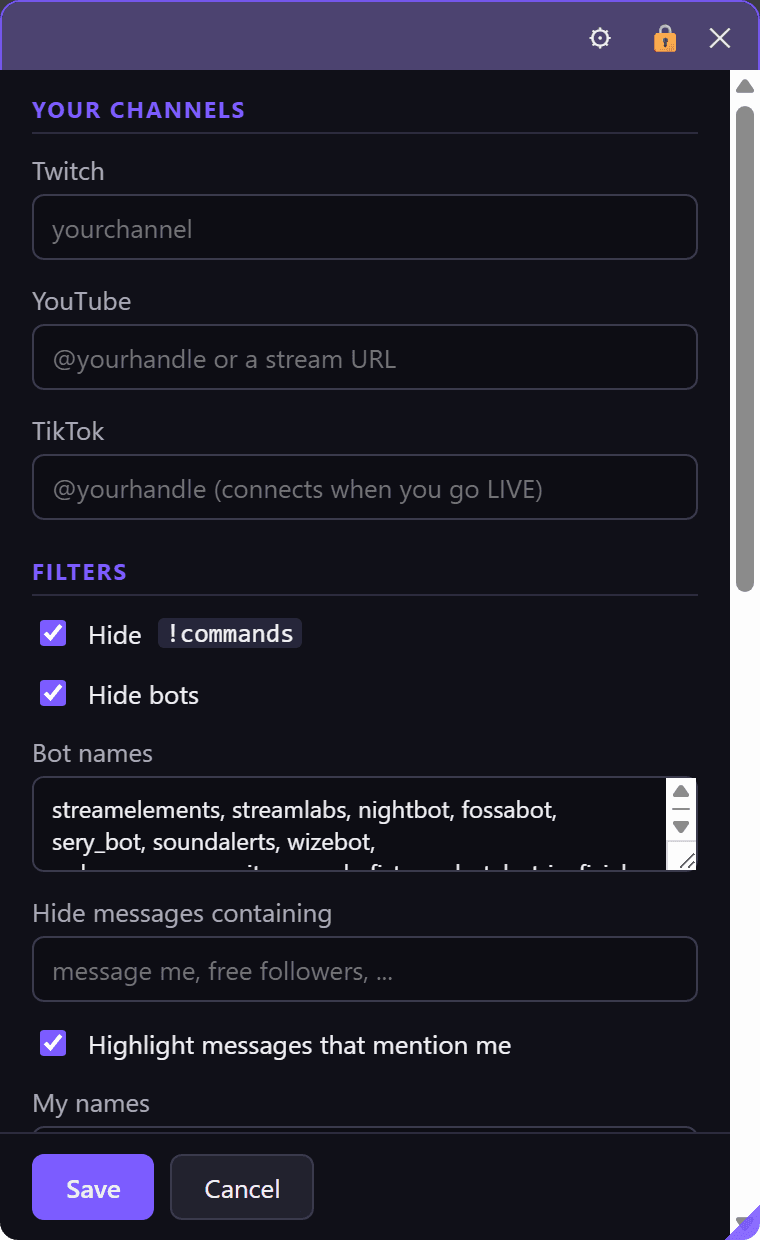
Hide bots and !commands, block words, highlight mods and your mentions. Fade-out when chat is quiet.
Light on cheap PCs.
Built to sip CPU while you play. Hardware acceleration off. Your frames stay yours.
Updates itself.
When a platform changes something, the fix arrives on its own. Nothing to reinstall.
No accounts. No API keys.
Reads public chat like any logged-out viewer. Can't post, ban or change anything on your channel.
Download and run the installer.
Windows may warn on first launch (SmartScreen — it's new). Click More info → Run anyway.
Type your channel names.
No passwords, no OAuth. Twitch channel, YouTube @handle, TikTok @handle. Hit Save.
Drag it where you want. Lock it.
Ctrl + Shift + L locks (click-through). Ctrl + Shift + H hides. Ctrl + Shift + L again to unlock.
FREE FOR TWITCH. $2 ONCE FOR EVERYTHING.
FREE
- Twitch chat overlay
- Every setting and filter
- Subs, bits and raids highlighted
- Automatic updates
PREMIUM — MULTICHAT
★ RECOMMENDED- Everything in Free
- YouTube, TikTok and Kick in the same window
- No subscription, ever
- Use it on up to 3 PCs
Pay with any email, then type that email into Chatskee (gear → Premium) to unlock.
THE HONEST ANSWERS.
Is this allowed on Twitch?
Yes. Twitch's simulcasting rules stop you from showing merged chat on your Twitch stream. Their own FAQ says tools that combine chat are fine 'for your personal use' — and that's what Chatskee is: a private window only you see, hidden from capture by default.
Does it work over fullscreen games?
Use borderless / windowed-fullscreen. Windows doesn't let any window draw over exclusive fullscreen. Most modern games run borderless anyway with no real performance hit on Windows 10 and 11.
Will it upset anti-cheat?
It shouldn't. Chatskee never touches your game — no injection, no graphics hooks, no drivers, no admin rights. It's a normal always-on-top window, like a Discord popout. It hasn't been tested against every anti-cheat, so if you try it with yours, tell me how it goes.
Do I have to log in to anything?
No. Chatskee reads public chat the way a logged-out viewer would. It never asks for your passwords or stream keys, and it can't post, ban or change anything on your channel.
Mac? Facebook?
Windows only for now. Facebook doesn't let small apps read live chat, so it isn't supported.
END OF FILE — 06 / 06
MADE BY A STREAMER
WHO KEPT MISSING HIS OWN CHAT.
Chatskee is shipped by ciaoloop — the streaming alias of Davide Filippini, out of Las Vegas, NV. Same bench as everything else at davidfilipstudios.